Many agents, one project
Put a whole team of agents on one project — one on logins, one on billing, one on the database — all working at the same time.
Agentica is a free, open-source app that runs AI on your computer. Chat like you would with any assistant — or hand it real work to do. Pick a target, then pick the open model that fits it. Everything you type, and everything it remembers, stays on your machine. No one else can see it — not even us.
curl -fsSL https://agenticaai.vercel.app/install.sh | bashAuto-detects Apple Silicon vs Intel. Unsigned build — the installer opens it cleanly; if you double-click the .dmg instead, right-click Agentica → Open once.
curl -fsSL https://agenticaai.vercel.app/install.sh | bashInstalls to ~/.local with an agentica launcher · works on WSL too · needs Ollama (one-click in-app).
Agentica runs on Windows through WSL (Ubuntu) — the same one-liner, inside Linux.
wsl --installcurl -fsSL https://agenticaai.vercel.app/install.sh | bashThe desktop GUI uses WSLg (built into Windows 11). No extra X server needed.
Why people choose Agentica → · free forever · open source · no account needed
🧩 Coming soon: a whole team of agents on one project — you just keep talking. See what's coming →Today, agents work on separate projects. Next, they'll safely team up on the same one — while you just keep talking.
Put a whole team of agents on one project — one on logins, one on billing, one on the database — all working at the same time.
Think out loud. Pile on ideas whenever they come, in plain language — no rigid back-and-forth — and Agentica keeps up.
Say something in one chat and the others know it. There's one shared picture of your project — and it lives only on your machine.
Work that doesn't depend on other work can run at the same time — across your laptop and your own servers — so more gets done at once.
When agents work side by side, Agentica works to keep their changes and ideas fitting together — quietly smoothing out the simple overlaps so you don't have to.
If there's no safe answer, it stops and asks you in plain words — never a wall of code. You decide; it remembers, so it won't ask twice.
On the roadmap, not shipped yet — and like everything in Agentica, it will run entirely on your machine. Nothing leaves it, not even us.
Powerful AI you fully own. No cloud landlord, no meter running, no one looking over your shoulder.
Pick from thousands of open models — from Hugging Face or Ollama — and switch anytime. You're never locked into one company's AI.
Your chats and files stay on your computer. No company can read them, sell them, or train on them. Not even us.
Agentica remembers what matters across your chats and projects, when you want it to — and that memory lives only on your computer.
Fully open source. No subscription, no API keys, no usage limits, no surprise bill. Use it as much as you like.
A real look at the app — click any screenshot to see it full size.
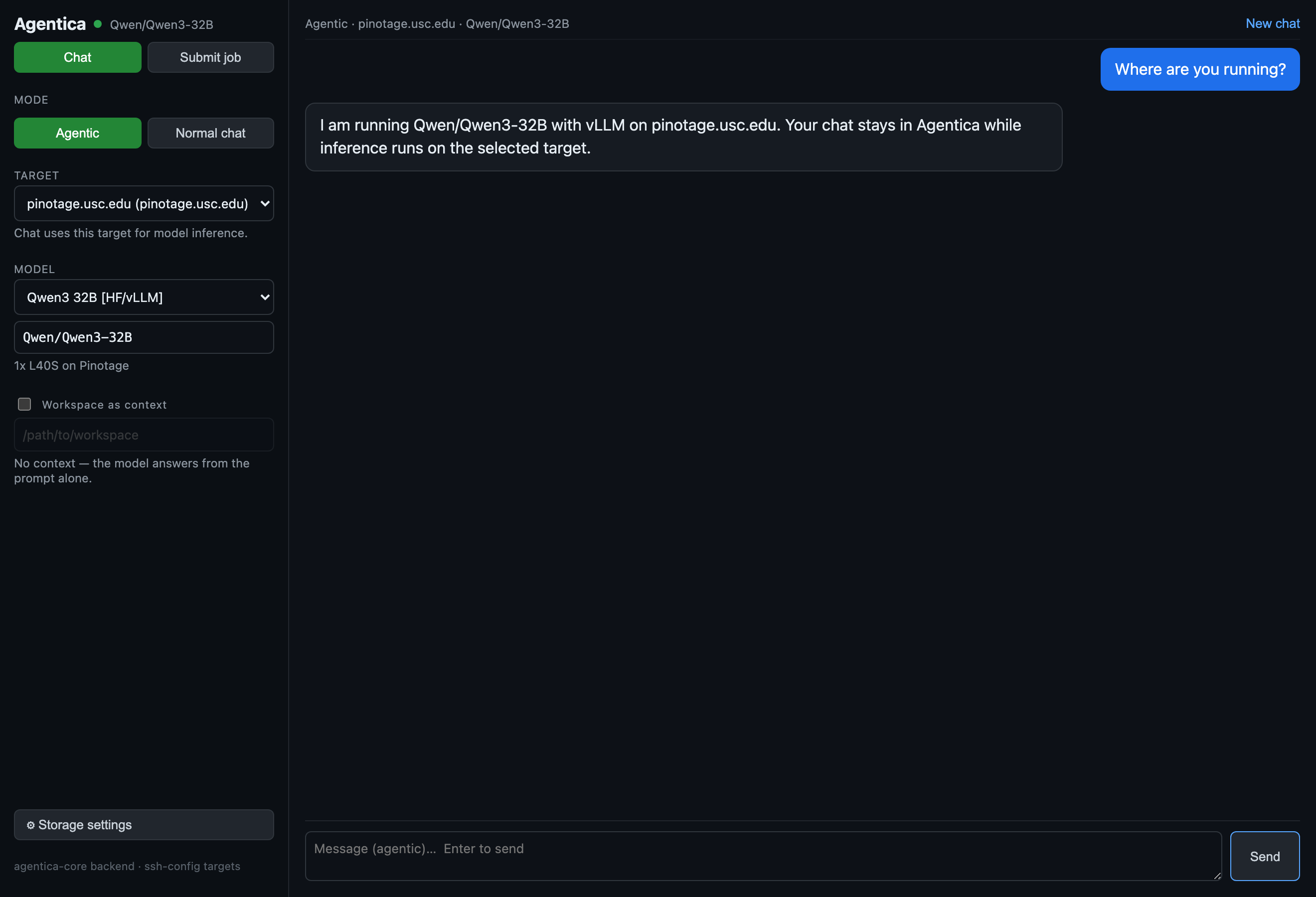
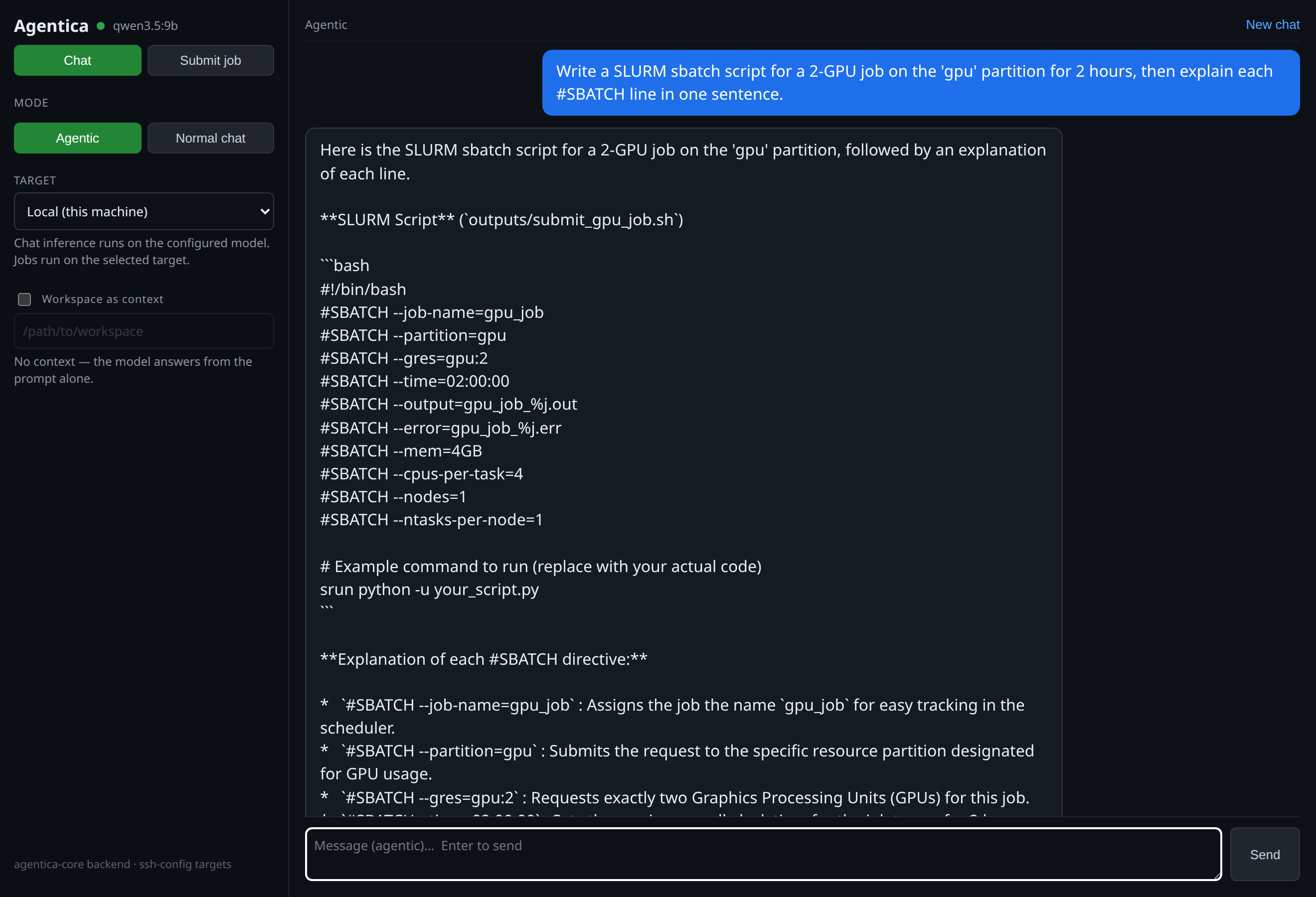
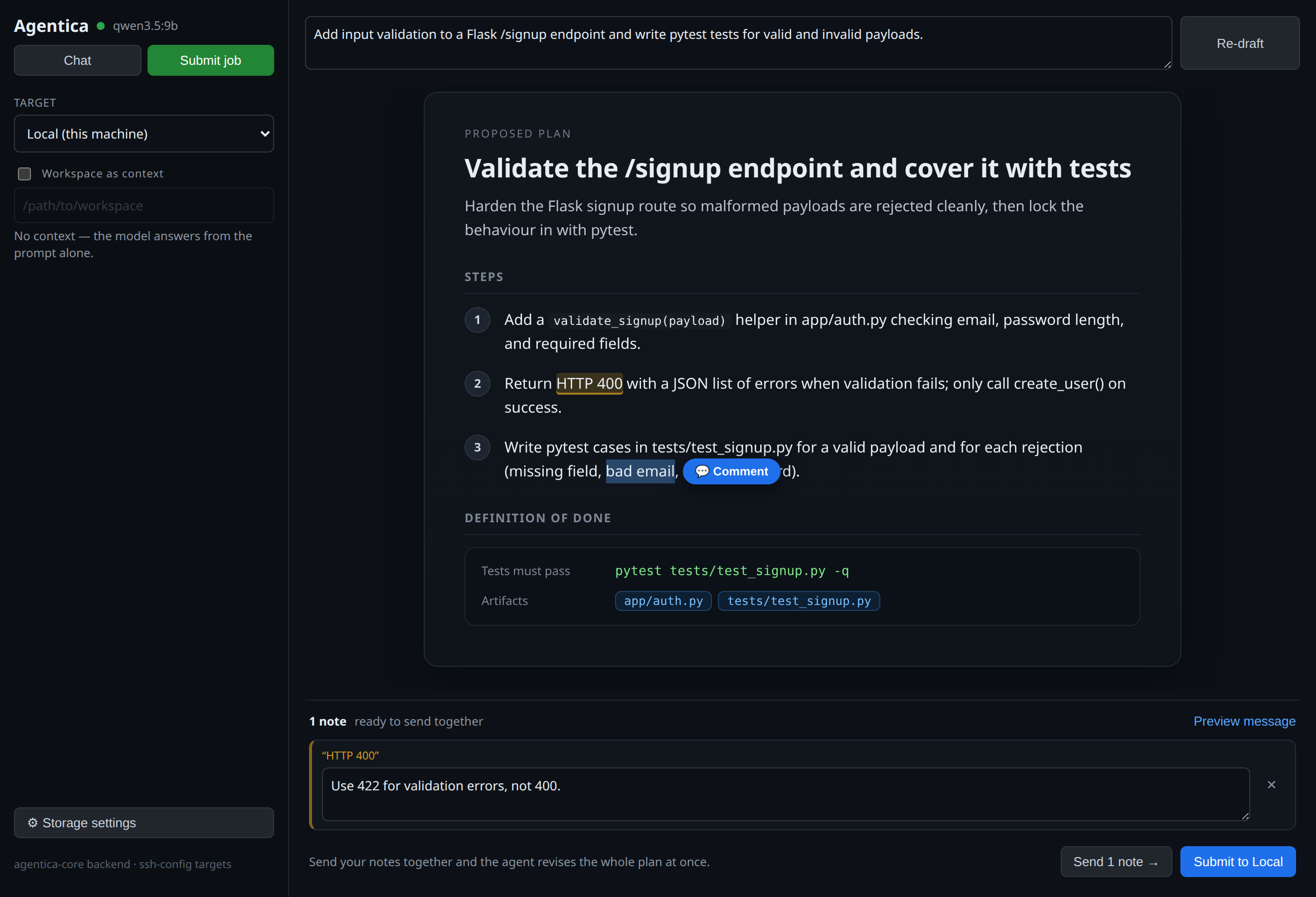
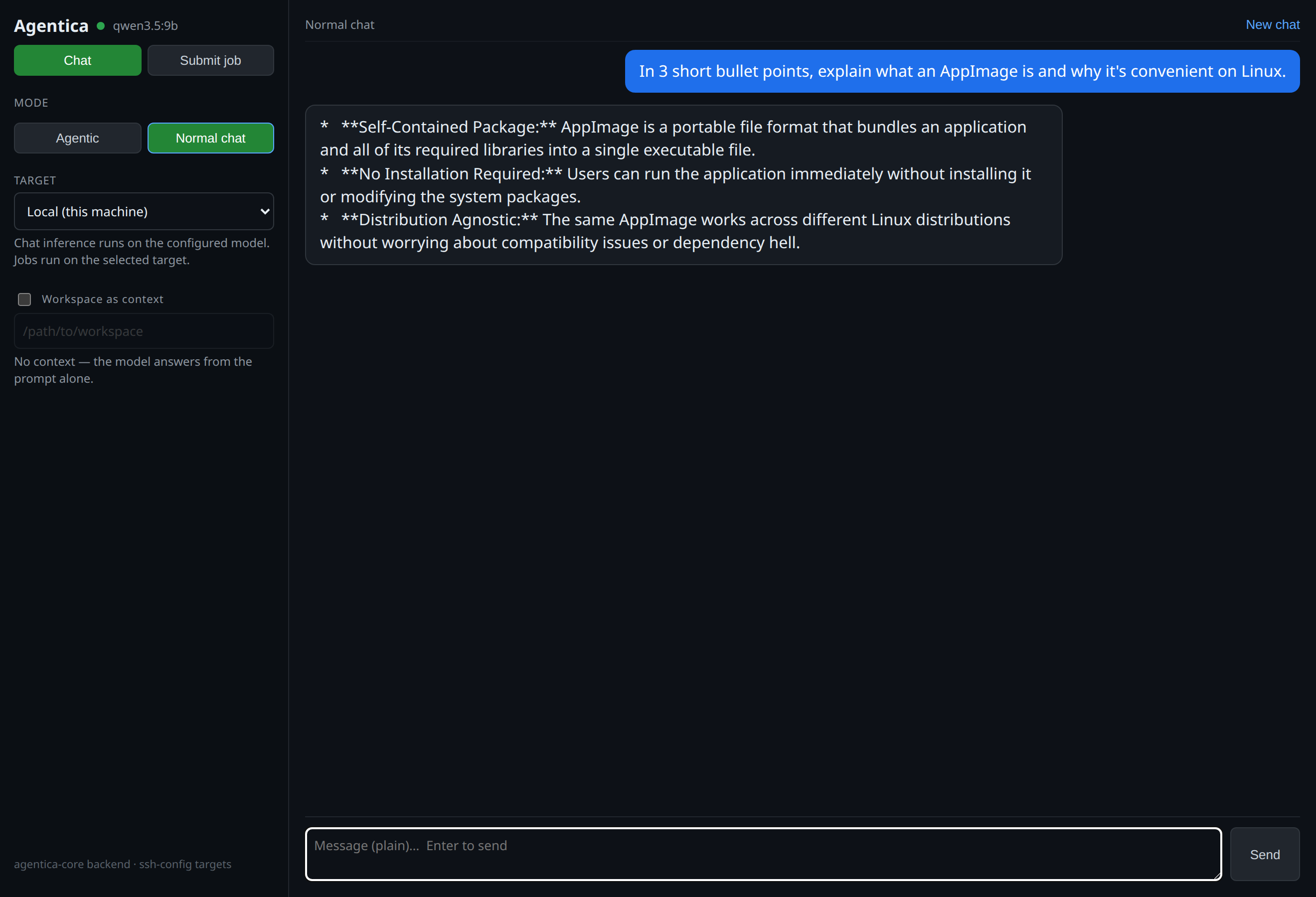
Small models run great on a laptop. The really capable ones need more muscle. Most apps stop there — or quietly send your data to their cloud. Agentica doesn't. Point it at a desktop with a graphics card, your own server, or a university or work cluster, and it runs the big model there — for you.
The model picker follows the target. Local targets can use installed Ollama tags; remote GPU targets can expose Hugging Face model IDs through vLLM, so a bigger model runs on the right machine instead of quietly falling back to your laptop.
You hand it off like sending a task. Agentica does the rest — connecting, setting things up, running the model, and returning the result. No commands. No setup scripts. It's still your hardware, so it's still private.
Already have a SLURM / HPC cluster with limited hours? You don't need it running all day. Submit a job the way you already would — except Agentica handles the whole thing end to end, and you never touch a command line.
Your computer, your servers, your tools. No new accounts, no lock-in.
For power users: connect any host in your ~/.ssh/config — a plain GPU box or a
SLURM cluster (ProxyJump hops supported). Agentica can serve an OpenAI-compatible /v1
endpoint so VS Code, Continue and Cline work unchanged, and a built-in fit-check sizes a model
to your cards (A100 / L40S / A40 …). Verified end to end on USC CARC Discovery.
No setup headaches. Most people are chatting within a few minutes.
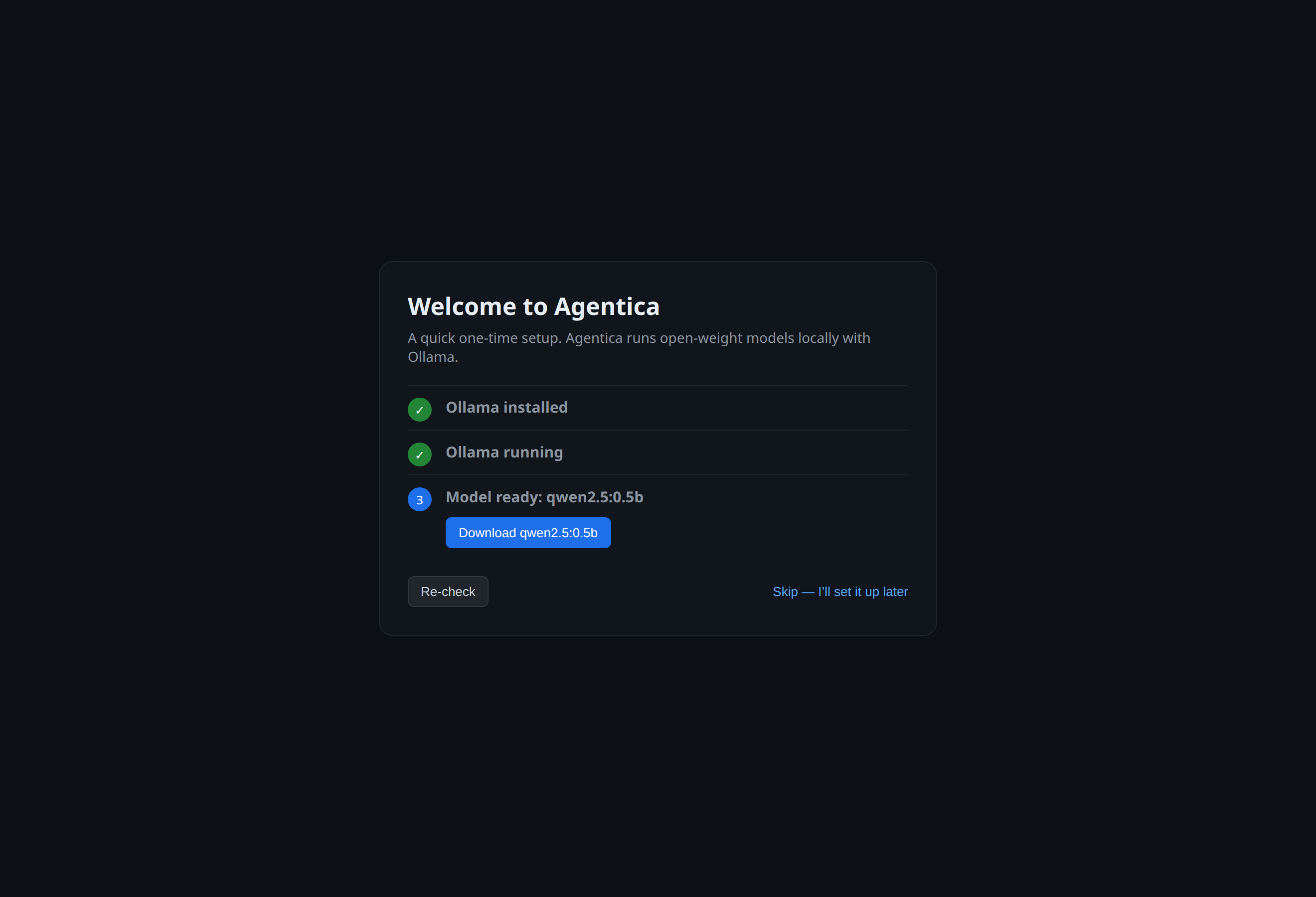
Paste one line, or download the app. It sets itself up and adds a launcher — that's it.
Choose your machine, server, or cluster first. Agentica then shows models suited to that target.
Chat right away, point it at a folder, or hand it a task. Add your own server later if you want more power.
No. If you can install an app and type a message, you can use Agentica. The everyday chat works just like any AI assistant you've tried — it simply runs on your own computer. The advanced features (running code, connecting to a cluster) are there if you ever want them, but you can ignore them completely.
Yes — free and fully open source, with no account, no subscription, and no usage limits. There's no catch: the AI runs on hardware you already own, so there's nothing for us to bill you for. (If you choose to run very large models, you'll want a capable computer or a GPU server — that's the only cost, and it's yours.)
On your own machine, and nowhere else. Your chats, your files, and anything the AI remembers stay local to your computer. No company — including us — can read, sell, or train on them. You can delete everything at any time, and nothing is left behind.
One line on macOS or Linux: curl -fsSL https://agenticaai.vercel.app/install.sh | bash. It detects your OS and CPU (Apple Silicon / Intel / x64 / arm64), installs the app, and adds an agentica launcher. On Windows, install WSL (wsl --install) and run the same line inside Ubuntu.
Not yet — it's an open-source, unsigned build. The installer strips the quarantine flag so it opens with no warning. If you download the .dmg by hand, right-click Agentica → Open the first time.
No. Agentica runs open-weight models on your own hardware via Ollama (or vLLM). There are no API keys, no monthly subscription, and nothing is sent to a third party.
Yes — verified end-to-end on USC CARC Discovery. It sbatches a GPU job that runs the agent loop on the node and syncs results back. Plain SSH GPU boxes work too.
Any Ollama tag locally, and Hugging Face model IDs on vLLM-capable targets — Llama, Qwen, Gemma, DeepSeek, GLM, gpt-oss, and more. A built-in fit check helps you size them to your GPUs (A100/L40S/A40/…).
No. The agent's tools run locally (or on your own node); the workspace stays on your machines.
Yes — it serves an OpenAI-compatible /v1 endpoint, so Continue/Cline and the OpenAI SDK work unchanged.
curl -fsSL https://agenticaai.vercel.app/install.sh | bashmacOS & Linux (Windows via WSL) · open source · all downloads · source on GitHub